
Introduction
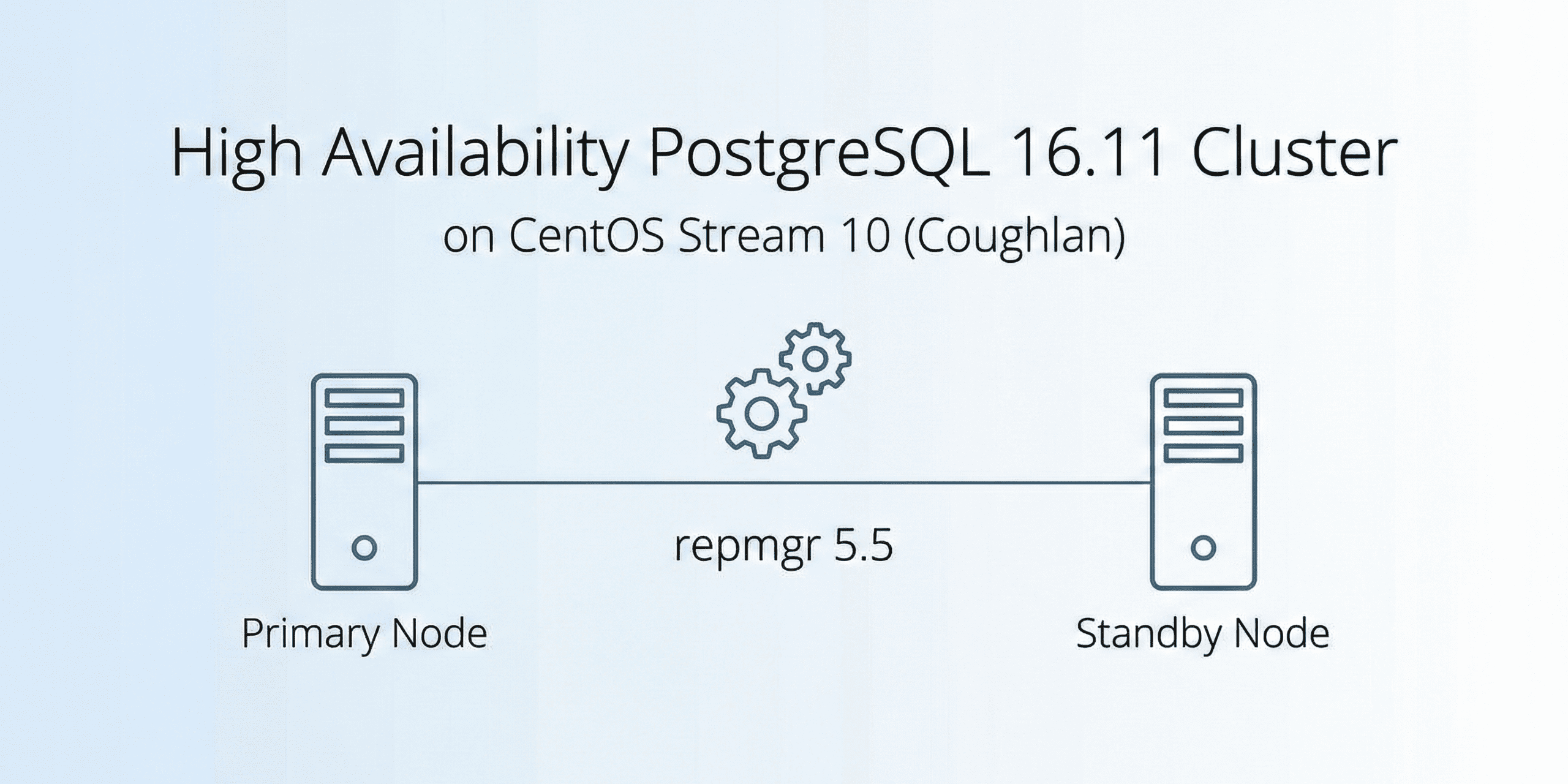
A PostgreSQL 16.11 High Availability Cluster ensures minimal downtime, automatic failover, and continuous database availability for mission-critical applications. In this guide, you’ll learn how to deploy a PostgreSQL 16.11 High Availability Cluster using repmgr 5.5 on CentOS Stream 10 with one primary, one standby, and one witness node. The setup provides streaming replication, automatic failover, and a production-ready architecture.
repmgr (Replication Manager) is a widely adopted open‑source tool that simplifies the administration of PostgreSQL replication and failover. Version 5.5 of repmgr introduces enhanced support for PostgreSQL 16.x, making it a reliable choice for production‑grade HA setups.
This guide focuses on deploying PostgreSQL 16.11 with repmgr 5.5 on CentOS Stream 10 (Coughlan), the rolling‑release distribution aligned with Red Hat Enterprise Linux 10. The target architecture is a three‑node cluster consisting of one primary and two standby nodes, configured for synchronous replication and automatic failover
Cluster Topology: Three nodes
- Node 1 (Primary): Handles read/write traffic and replicates changes downstream.
- Node 2 (Standby): Hot standby, ready to be promoted in case of primary failure.
- Node 3 (Witness): Provides quorum and ensures consistent failover decisions.
On a host:
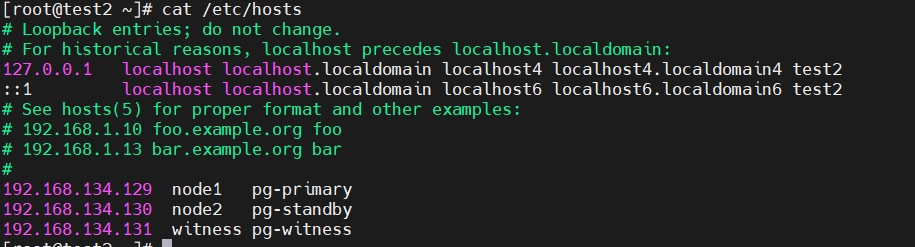
192.168.134.129  node1   pg-primary
192.168.134.130  node2   pg-standby
192.168.134.131  witness pg-witness
Checking OS Version:
Command:
cat /etc/os-releaseOutput:
NAME="CentOS Stream"
VERSION="10 (Coughlan)"
………………… ………………
Installing Prerequisites for the repmgr:
wget https://github.com/EnterpriseDB/repmgr/releases/download/v5.5.0/repmgr-5.5.0.tar.gz
sudo yum install -y gcc make readline-devel zlib-devel     postgresql postgresql-server postgresql-contrib
sudo yum install -y perl-App-cpanminus sudo cpanm IPC::Run
sudo dnf install -y epel-release sudo dnf config-manager --set-enabled crb
sudo dnf install -y perl-IPC-Run sudo yum install -y postgresql16-devel
sudo yum install -y libcurl-devel json-c-devel
sudo yum install -y flex
sudo yum install -y lz4-devel libxslt-devel libxml2-devel pam-devel
Untar repmgr package:
tar -xvf repmgr-5.5.0.tar.gz
cd repmgr-5.5.0
which pg_config
Output:
/usr/pgsql-16/bin/pg_configInstalling repmgr in pg_config path:
export PG_CONFIG=/usr/pgsql-16/bin/pg_config
./configure
make
sudo make install
Added in bash_profile
|
[postgres@test3 data]$ repmgr --version
repmgr 5.5.0
[postgres@test3 data]$ repmgrd --version
repmgrd 5.5.0

Prerequisites:
Enable ssh in all the three machine:
ssh-keygen -t ed25519
ssh-copy-id postgres@192.168.134.129
ssh-copy-id postgres@192.168.134.130
ssh postgres@192.168.134.130 "hostname"
ssh postgres@192.168.134.131 "hostname"
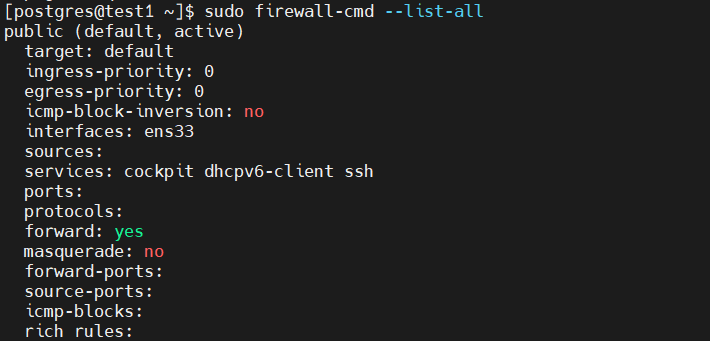
Added entry for allowing port 5432 in tcp
sudo firewall-cmd --add-port=5432/tcp --permanent
sudo firewall-cmd --reload
Verify:
Adding host in all the three node in /etc/hosts :
Vi /etc/hostsRepmgr Setup:
Creating user in the primary and witness node:
CREATE USER repmgr WITH REPLICATION SUPERUSER LOGIN;
ALTER USER repmgr SET search_path TO repmgr, public;
CREATE DATABASE repmgr OWNER repmgr;
In postgresql.conf add following configuration changes in primary (node1) and (node2) standby :
listen_addresses = '*'
port = 5432
max_wal_senders = 10
max_replication_slots = 10
wal_level = replica
hot_standby = on
archive_mode = on
archive_command = '/bin/true'
# or your preferred archiving command
wal_log_hints = on
shared_preload_libraries = 'repmgr'
Added entry for the repmgr in pg_hba.conf
# Add lines for repmgr
host    repmgr      repmgr      192.168.134.0/24    trust
host    replication repmgr      192.168.134.0/24    trust
In a primary node create /etc/repmgr.conf
sudo vi /etc/repmgr.conf
Node 01 (primary)
node_id=1
node_name='node1'
conninfo='host=192.168.134.129
user=repmgr
dbname=repmgr
connect_timeout=2'
data_directory='/var/lib/pgsql/16/data'
pg_bindir='/usr/pgsql-16/bin'
config_directory='/var/lib/pgsql/16/data/postgresql.conf'
replication_user='repmgr'
failover=automatic promote_command='repmgr standby promote -f /etc/repmgr.conf --log-to-file'
follow_command='repmgr standby follow -f /etc/repmgr.conf --log-to-file --upstream-node-id=%n'
log_file='/var/log/repmgr/repmgr.log'
Node 02 (secondary)
sudo vi /etc/repmgr.conf
node_id=2
node_name='node2'
conninfo='host=192.168.134.130
user=repmgr
dbname=repmgr
connect_timeout=2'
data_directory='/var/lib/pgsql/16/data'
pg_bindir='/usr/pgsql-16/bin'
config_directory='/var/lib/pgsql/16/data/postgresql.conf'
replication_user='repmgr'
failover=automatic
promote_command='repmgr standby promote -f /etc/repmgr.conf --log-to-file'
follow_command='repmgr standby follow -f /etc/repmgr.conf --log-to-file --upstream-node-id=%n'
log_file='/var/log/repmgr/repmgr.log'
Node 03 (Witness)
Sudo vi /etc/repmgr.conf
node_id=3
node_name='witness'
conninfo='host=192.168.134.131
user=repmgr
dbname=repmgr
connect_timeout=2'
data_directory='/var/lib/pgsql/16/data'
pg_bindir='/usr/pgsql-16/bin'
replication_user='repmgr'
log_file='/var/log/repmgr/repmgr.log'
Create Log Directory
In all nodes create log directory
|
Register nodes in a cluster:
Register Primary Node in a repmgr cluster:
repmgr -f /etc/repmgr.conf primary register
Building standby from the primary:
repmgr -h 192.168.134.129 -U repmgr -d repmgr -f /etc/repmgr.conf standby clone -F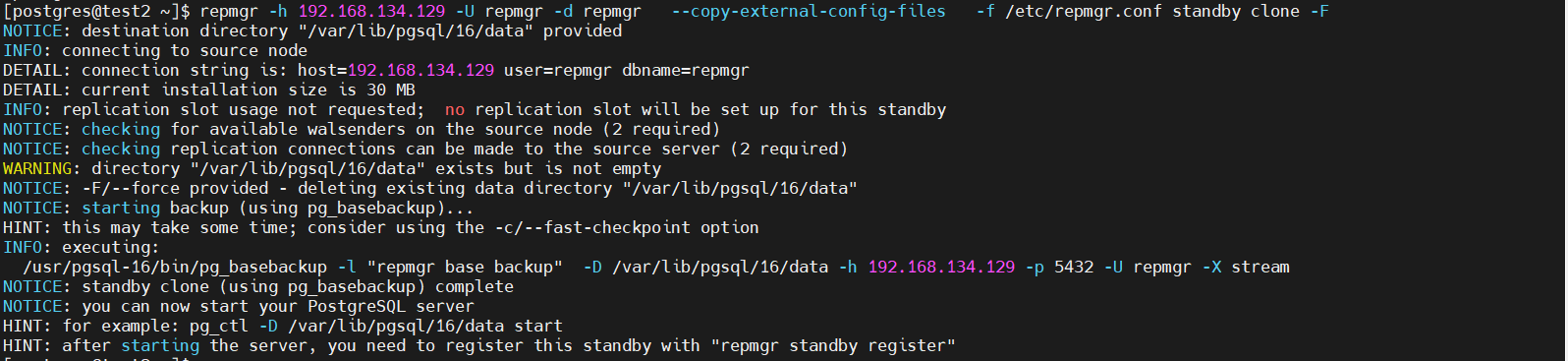
Register standby node:

Register Witness node in a repmgr cluster make sure datadirectory name is different from primary:
repmgr -f /etc/repmgr.conf witness register -h 192.168.134.129 -p 5432 -U repmgr Register repmgrd service in all the three node:
sudo vi /etc/systemd/system/repmgrd.service[Unit]
Description=A replication manager, and failover management tool for PostgreSQL
After=syslog.target
After=network.target
After=postgresql.service
[Service]
Type=forking
User=postgres
ExecStart=/usr/pgsql-16/bin/repmgrd -f /etc/repmgr.conf --pid-file=/var/run/repmgrd.pid --daemonize
ExecReload=/bin/kill -HUP $MAINPID
PIDFile=/var/run/repmgrd.pid
[Install]
WantedBy=multi-user.target
Reload repmgrd and its services:
sudo systemctl daemon-reload
sudo systemctl enable repmgrd
sudo systemctl start repmgrd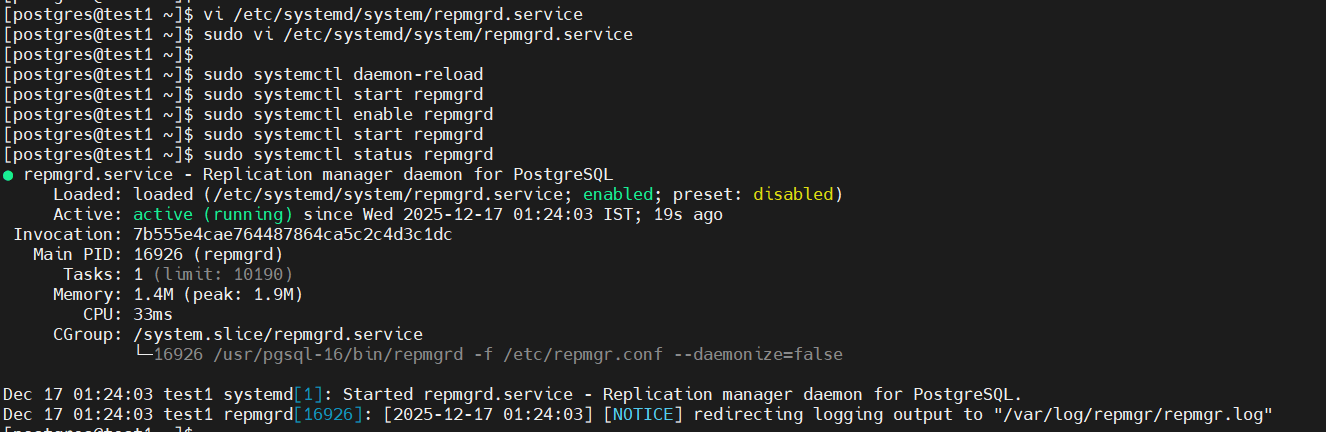 Verify repmgr running and checking status:
repmgr -f /etc/repmgr.conf  cluster show
repmgr -f /etc/repmgr.conf  service status
repmgr -f /etc/repmgr.conf  cluster crosscheck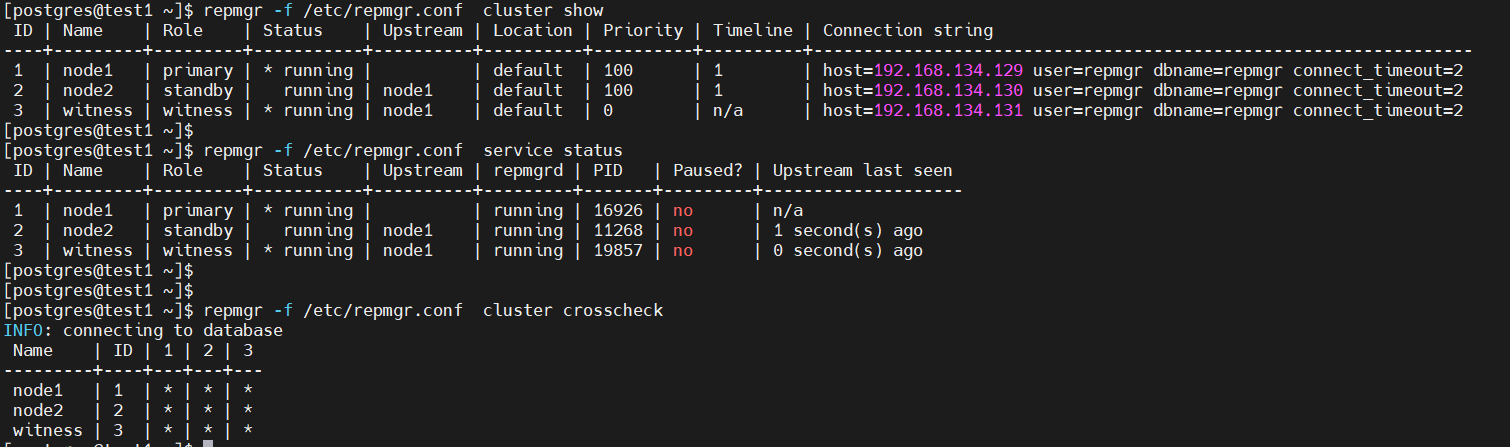
Conclusion:
Deploying a PostgreSQL 16.11 high-availability cluster using repmgr 5.5 on CentOS Stream 10 showcases the ability of open-source tools to provide enterprise-level reliability. The setup involves a primary node, a hot standby, and a witness server to enable synchronous replication and automatic failover. The detailed setup process emphasizes the significance of planning and reproducible configuration. The cluster supports seamless failover and minimal downtime, making it suitable for critical workloads. With improved support for PostgreSQL 16.x, repmgr offers an effective solution for managing replication and failover, creating a reliable and scalable HA platform for modern data infrastructures.