
Introduction
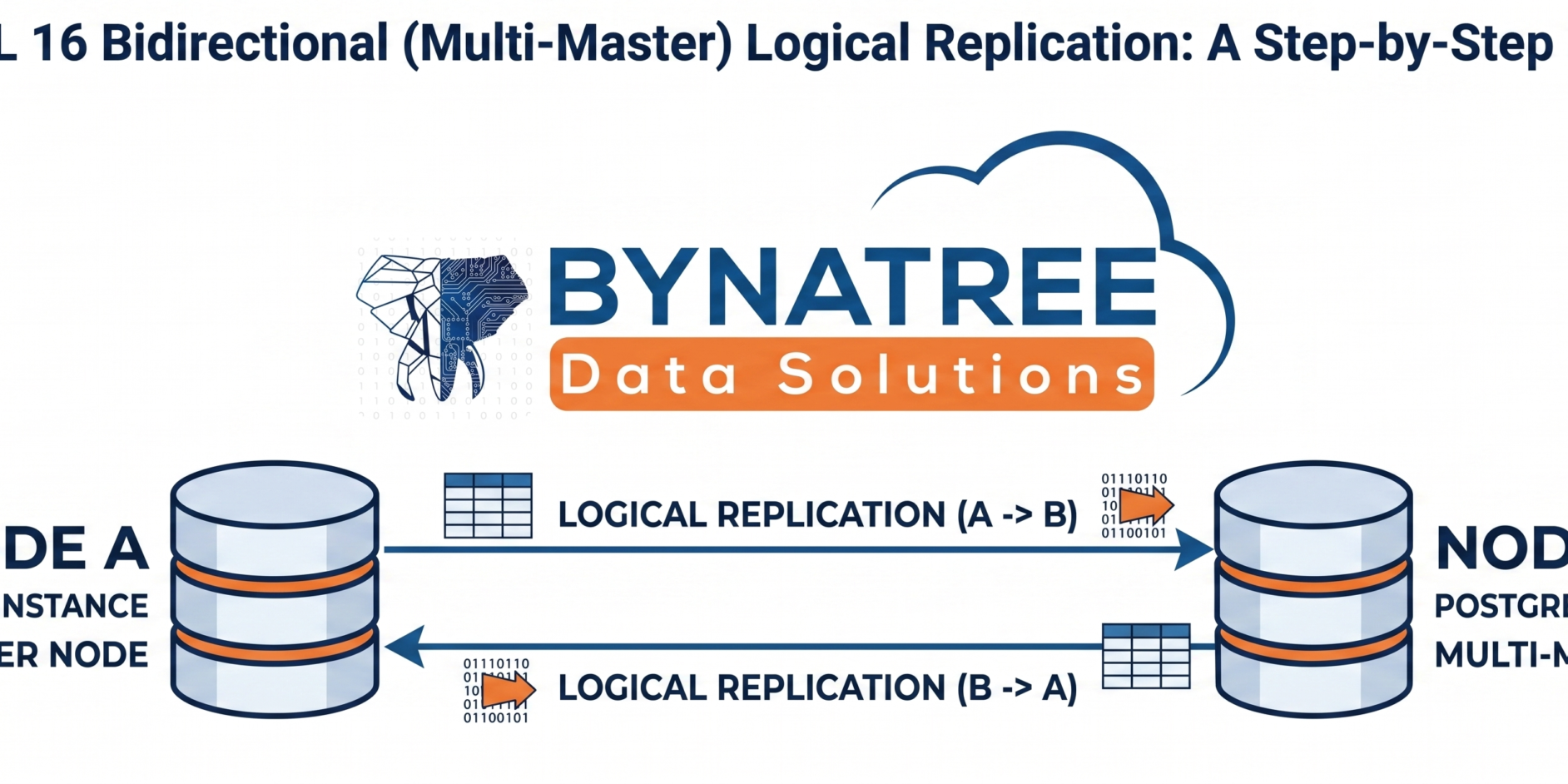
By the end of this tutorial, you’ll have two nodes continuously syncing data to each other in near real time.High availability and multi-region data distribution are top priorities for modern database architectures. While PostgreSQL has offered native logical replication since version 10, setting up true bidirectional replication (where two nodes replicate to each other simultaneously) requires careful configuration to avoid infinite replication loops and conflicts.
In this guide, we walk through a real, tested setup of bidirectional logical replication between two PostgreSQL 16 nodes (`test1` and `test2`), using native `CREATE PUBLICATION` and `CREATE SUBSCRIPTION` commands along with the `origin = none` option — a feature introduced in PostgreSQL 16 that makes active-active replication possible without extensions like pglogical or BDR.
Why Use PostgreSQL Bidirectional Replication?
Bidirectional (active-active) replication is useful when you need:
- Multi-region write availability — applications in different geographic regions can write locally while staying in sync.
- Zero-downtime failover — either node can serve as primary, reducing recovery time during outages.
- Load distribution — write traffic can be split across nodes instead of funneling through a single primary.
The key challenge in any multi-master setup is avoiding replication loops — where data replicated from Node A to Node B gets replicated right back to Node A. PostgreSQL 16 solves this cleanly with the `origin = none` subscription parameter, which ensures a node only publishes changes it originated locally, not changes it received from replication.
Prerequisites
-
Two servers with PostgreSQL 16 installed (`test1` and `test2` in this example)
-
Network connectivity between both hosts (firewall rules will need updating)
-
Basic familiarity with `psql` and PostgreSQL configuration files
Environment used in this walkthrough:
| Node | Hostname | IP Address     | Port |
|------|----------|----------------|------|
| Node 1 | test1 | 192.168.134.130 | 5433 |
| Node 2 | test2 | 192.168.134.129 | 5433 |
Step 1: Initialize a Dedicated Data Directory
On both nodes, create a dedicated directory for the replication cluster and initialize it:
sudo mkdir -p /var/lib/pgsql/16/bdr_data
sudo chown postgres:postgres /var/lib/pgsql/16/bdr_data
/usr/pgsql-16/bin/initdb -D /var/lib/pgsql/16/bdr_data
This creates a fresh PostgreSQL 16 cluster using UTF-8 encoding and the `en_US.UTF-8` locale.
Tip: Using a separate data directory (rather than the default cluster) keeps your replication testbed isolated from other databases on the same host.
Step 2: Configure `postgresql.conf` and `pg_hba.conf`
On both nodes, edit the configuration files to prepare for logical replication and remote connections:
vi /var/lib/pgsql/16/bdr_data/postgresql.confAt minimum, ensure the following settings are in place (required for logical replication):
/* wal_level = logical
listen_addresses = '*'
port = 5433
max_replication_slots = 10
max_wal_senders = 10 */
Then update `pg_hba.conf` to allow replication connections from the peer node’s IP address:
vi /var/lib/pgsql/16/bdr_data/pg_hba.conf
host all all 192.168.134.0/24 md5
Restart the server after making changes so the new settings take effect:
/usr/pgsql-16/bin/pg_ctl -D /var/lib/pgsql/16/bdr_data -l logfile restartStep 3: Create the Database, Tables, and Publication (on Both Nodes)
Connect to the custom port and set up the schema:
psql -p 5433
CREATE DATABASE bynatree;
\c bynatree
CREATE TABLE t1 (id int PRIMARY KEY, data text);
CREATE TABLE t2 (id int PRIMARY KEY, data text);
CREATE TABLE t3 (id int PRIMARY KEY, data text);
Create a publication that includes all tables. Use a distinct name per node so it’s easy to trace direction of flow:
On Node 1
CREATE PUBLICATION pub01 FOR ALL TABLES;- On Node 2
-
CREATE PUBLICATION pub02 FOR ALL TABLES;
Step 4: Create a Dedicated Replication Role
Rather than replicating with the superuser account, create a scoped role on both nodes:
CREATE ROLE rep_admin WITH REPLICATION LOGIN PASSWORD 'your_strong_password';
GRANT pg_create_subscription TO rep_admin;
GRANT CREATE, CONNECT ON DATABASE bynatree TO rep_admin;
GRANT USAGE ON SCHEMA public TO rep_admin;
GRANT SELECT ON ALL TABLES IN SCHEMA public TO rep_admin;
This follows the principle of least privilege — `rep_admin` can only read data and manage subscriptions, nothing more.
Security note: Never use a real password like `postgres@123` in production. Store replication credentials in a secrets manager and rotate them regularly.
Step 5: Open the Firewall Port
Logical replication happens over the standard PostgreSQL wire protocol, so the custom port (`5433` here) must be reachable between hosts:
sudo firewall-cmd --permanent --add-port=5433/tcp
sudo firewall-cmd --reload
Skipping this step is one of the most common causes of setup failure — you’ll typically see an error like:
ERROR: could not connect to the publisher: connection to server at "192.168.134.130",
port 5433 failed: No route to host
If you hit this, double-check firewall rules on both ends before troubleshooting anything else.
Step 6: Create Subscriptions for PostgreSQL Bidirectional Replication
This is where the magic happens. On Node 1, subscribe to Node 2’s publication:
CREATE SUBSCRIPTION sub01 CONNECTION 'host=192.168.134.130 dbname=bynatree port=5433
user=rep_admin password=your_strong_password' PUBLICATION pub02 WITH (copy_data = false, origin = none);
On Node 2, subscribe to Node 1’s publication:
CREATE SUBSCRIPTION sub02 CONNECTION 'host=192.168.134.129 dbname=bynatree port=5433
user=rep_admin password=your_strong_password' PUBLICATION pub01 WITH (copy_data = false, origin = none);
Why these two options matter
– ‘copy_data = false` — prevents an initial full-table sync when the subscription is created. This is important when both nodes already have (or will independently receive) data; you don’t want a bulk copy colliding with live inserts.
– `origin = none` — the critical setting for active-active replication. It tells PostgreSQL to only replicate changes that originated locally on the publishing node, preventing the classic “replication ping-pong” loop where a row bounces endlessly between nodes.
Step 7: Test and Verify PostgreSQL Bidirectional Replication
Insert a row on Node 1:
INSERT INTO t1 VALUES (1, 'Test from Node1');Insert a different row on Node 2:
INSERT INTO t1 VALUES (2, 'Test from Node2');Query `t1` on either node and you should see both rows:
SELECT * FROM t1;
id | data
----+-----------------
 1 | Test from Node1
 2 | Test from Node2
(2 rows)
This confirms writes from each node are propagating to the other in both directions.
Monitoring Replication Health
Use these built-in system views to confirm everything is working:
-- Check subscription status and lag
SELECT * FROM pg_stat_subscription;
-- Inspect subscription configuration
SELECT * FROM pg_subscription;
-- Confirm replication slots are active on the publisher side
SELECT * FROM pg_replication_slots;
Key columns to watch:
– `pg_stat_subscription.received_lsn` — confirms the subscriber is actively receiving WAL data.
– `pg_replication_slots.active` — should be `t` (true) on a healthy slot.
– `pg_replication_slots.wal_status` — should read `reserved`, not `lost`, which would indicate the subscriber has fallen dangerously behind.
Common Pitfalls to Avoid
- Forgetting `wal_level = logical` — logical replication silently fails to set up without it.
- Not opening firewall ports on both nodes — leads to “No route to host” errors.
- Omitting `origin = none` — without it, replicated rows can loop endlessly between nodes, corrupting data or causing conflicts.
- No conflict resolution strategy — PostgreSQL’s native logical replication does not automatically resolve conflicting writes (e.g., the same primary key updated on both nodes at once). For production active-active workloads, plan an explicit conflict-handling strategy — such as partitioning writes by key range, using `last-write-wins` triggers, or adopting an extension like pgEdge or EDB’s BDR for automated conflict resolution.
- Using default passwords — always replace test credentials with strong, unique passwords per environment.
Conclusion
Native PostgreSQL 16 support for `origin = none` makes bidirectional logical replication far simpler to configure than in previous versions, removing the need for thirarty d-pmulti-master extensions in many common use cases. That said, this native approach is best suited for straightforward active-active scenarios; for large-scale, conflict-heavy multi-master deployments, dedicated tools such as EDB Postgres Distributed (BDR) or pgEdge remain worth evaluating.
With the steps above, you now have a working two-node bidirectional replication setup you can extend to additional nodes, more databases, or production-hardened configurations with SSL, connection pooling, and monitoring.
Frequently Asked Questions
- Does PostgreSQL support true multi-master replication natively?
PostgreSQL’s built-in logical replication (as of version 16) supports bidirectional replication between nodes using `origin = none`, but it does not include automatic conflict resolution. True enterprise multi-master solutions typically layer additional tooling on top. - What PostgreSQL version introduced `origin = none`?
The `origin` subscription parameter was introduced in PostgreSQL 16, specifically to support active-active replication topologies without replication loops. - Can this setup scale beyond two nodes?
Yes — the same publication/subscription pattern can be extended to a ring or mesh topology across more nodes, though conflict-handling complexity increases significantly with each additional node. - Is logical replication as fast as physical (streaming) replication?
Logical replication has more overhead than physical replication since it decodes WAL into row-level changes, but it offers much more flexibility, including selective table replication and cross-version replication.




1 Comment