
Introduction
High availability (HA) is a critical requirement for modern database infrastructures, ensuring minimal downtime and seamless failover in case of node failures. PostgreSQL, while robust as a standalone database, requires additional tooling to manage replication, failover, and cluster orchestration in multi‑node environments.
repmgr (Replication Manager) is a widely adopted open‑source tool that simplifies the administration of PostgreSQL replication and failover. Version 5.5 of repmgr introduces enhanced support for PostgreSQL 16.x, making it a reliable choice for production‑grade HA setups.
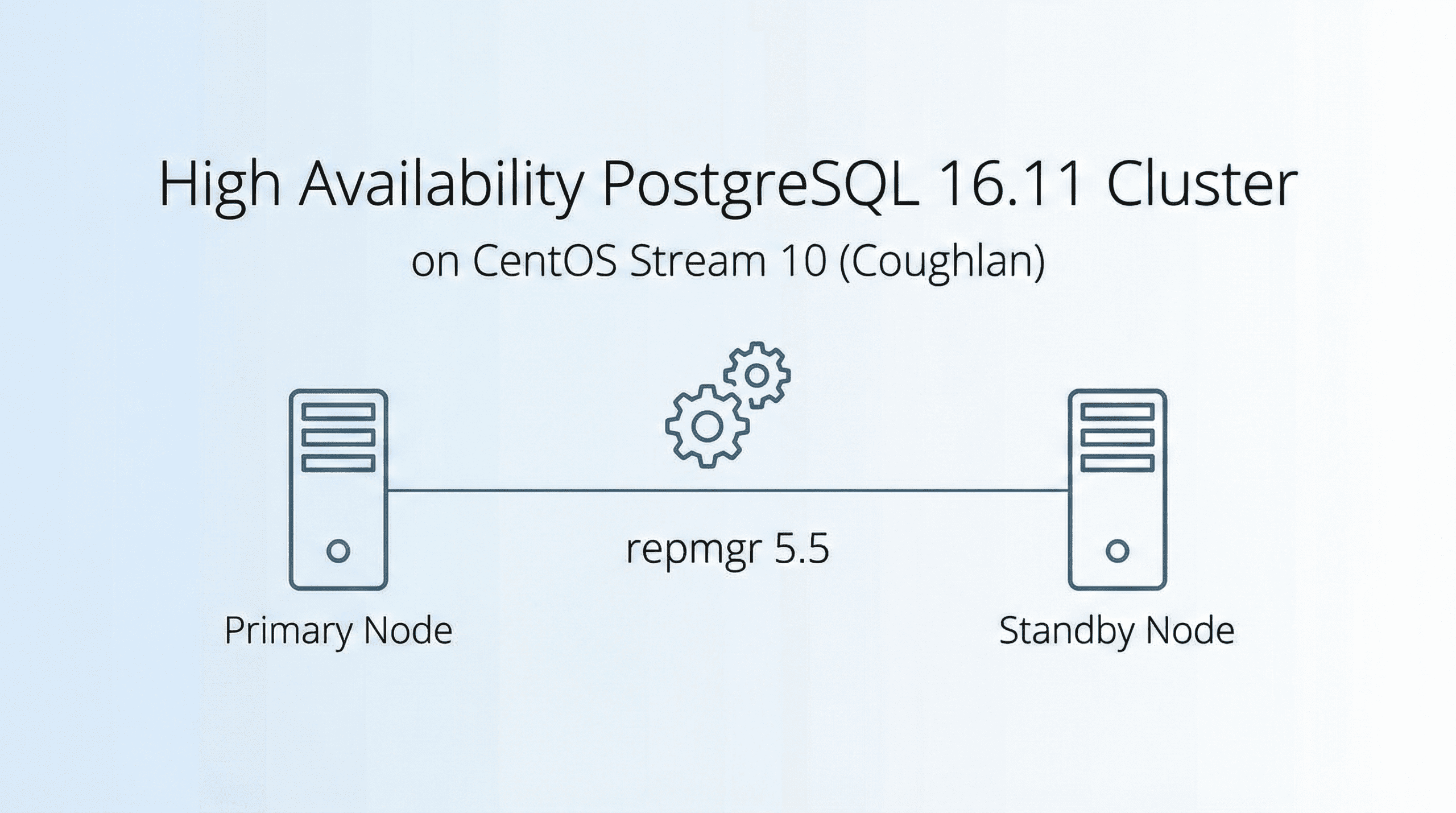
This guide focuses on deploying PostgreSQL 16.11 with repmgr 5.5 on CentOS Stream 10 (Coughlan), the rolling‑release distribution aligned with Red Hat Enterprise Linux 10. The target architecture is a three‑node cluster consisting of one primary and two standby nodes, configured for synchronous replication and automatic failover
Cluster Topology: Three nodes
- Node 1 (Primary): Handles read/write traffic and replicates changes downstream.
- Node 2 (Standby): Hot standby, ready to be promoted in case of primary failure.
- Node 3 (Witness): Provides quorum and ensures consistent failover decisions.
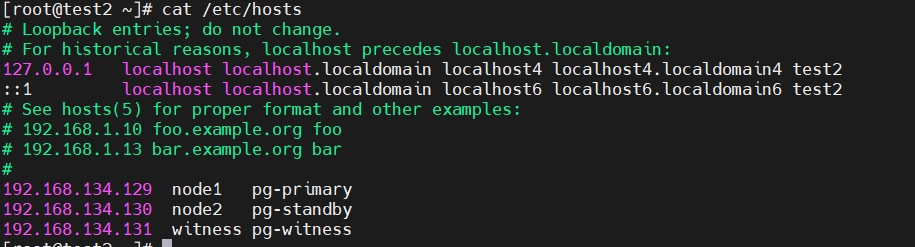
On a host:
| 1 2 3 4 5 | 192.168.134.129 node1 pg-primary 192.168.134.130 node2 pg-standby 192.168.134.131 witness pg-witness |
Checking OS Version:
Command:
| 1 | cat /etc/os-release |
Output:
|
Installing Prerequisites for the repmgr:
| 1 2 3 4 5 6 7 8 9 10 11 | wget https://github.com/EnterpriseDB/repmgr/releases/download/v5.5.0/repmgr-5.5.0.tar.gz sudo yum install -y gcc make readline-devel zlib-devel postgresql postgresql-server postgresql-contrib sudo yum install -y perl-App-cpanminus sudo cpanm IPC::Run sudo dnf install -y epel-release sudo dnf config-manager --set-enabled crb sudo dnf install -y perl-IPC-Run sudo yum install -y postgresql16-devel sudo yum install -y libcurl-devel json-c-devel sudo yum install -y flex sudo yum install -y lz4-devel libxslt-devel libxml2-devel pam-devel |
Untar repmgr package:
|
Output:
| 1 | /usr/pgsql-16/bin/pg_config |
Installing repmgr in pg_config path:
Added in bash_profile
|
|

Prerequisites:

Enable ssh in all the three machine:
|
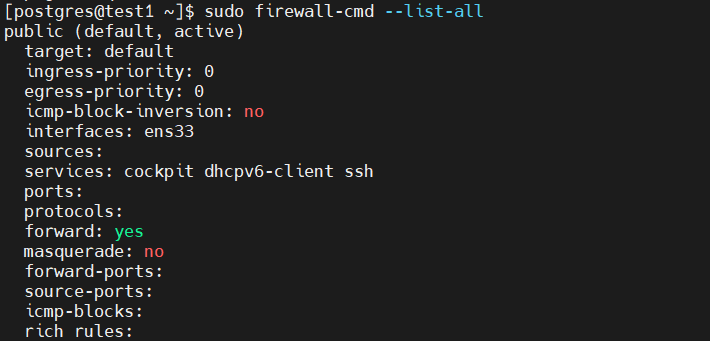
Added entry for allowing port 5432 in tcp
| 1 2 | sudo firewall-cmd --add-port=5432/tcp --permanent sudo firewall-cmd --reload |

Verify:
Adding host in all the three node in /etc/hosts :
| 1 | Vi /etc/hosts |
Repmgr Setup:
Creating user in the primary and witness node:
|
In postgresql.conf add following configuration changes in primary (node1) and (node2) standby :
|
Added entry for the repmgr in pg_hba.conf
| 1 2 3 | # Add lines for repmgr host repmgr repmgr 192.168.134.0/24 trust host replication repmgr 192.168.134.0/24 trust |
In a primary node create /etc/repmgr.conf
| 1 | sudo vi /etc/repmgr.conf |
Node 01 (primary)
|
Node 02 (secondary)
sudo vi /etc/repmgr.conf
|
Node 03 (Witness)
Sudo vi /etc/repmgr.conf
|
Create Log Directory
In all nodes create log directory
|
Register nodes in a cluster:
Register Primary Node in a repmgr cluster:
| 1 | repmgr -f /etc/repmgr.conf primary register |

Building standby from the primary:
| 1 | repmgr -h 192.168.134.129 -U repmgr -d repmgr -f /etc/repmgr.conf standby clone -F |
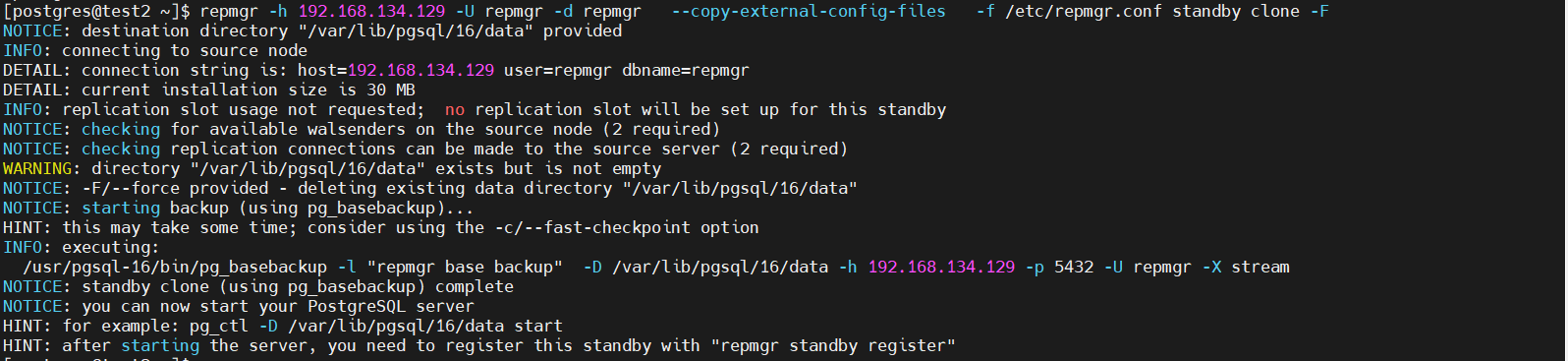
Register standby node:

Register Witness node in a repmgr cluster make sure datadirectory name is different from primary:
| 1 | repmgr -f /etc/repmgr.conf witness register -h 192.168.134.129 -p 5432 -U repmgr |
Register repmgrd service in all the three node:
 Register repmgrd service in all the three node:
| 1 | sudo vi /etc/systemd/system/repmgrd.service |
|
Reload repmgrd and its services:
| 1 2 3 | sudo systemctl daemon-reload sudo systemctl enable repmgrd sudo systemctl start repmgrd |
Verify repmgr running and checking status:
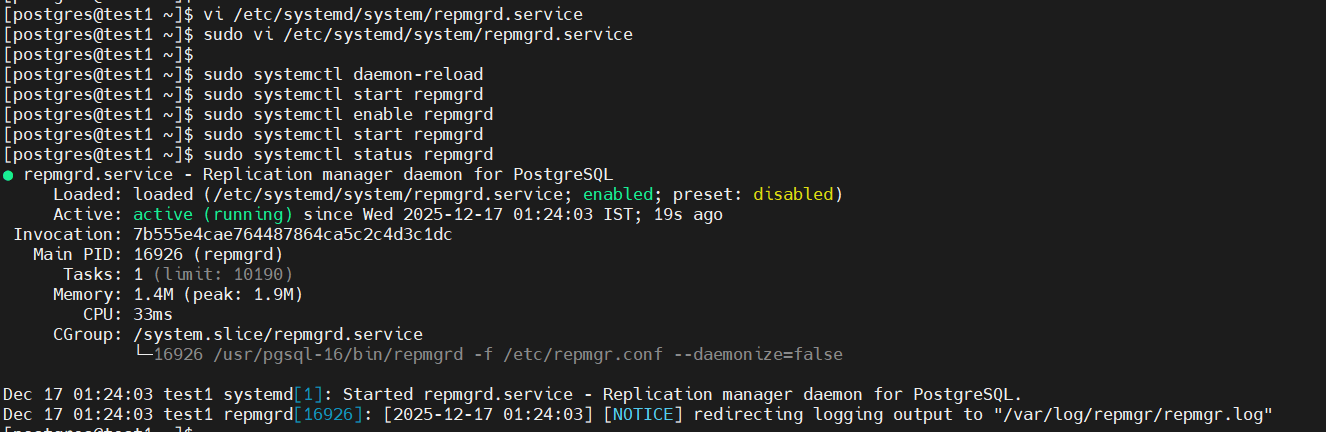 Verify repmgr running and checking status:
| 1 2 3 | repmgr -f /etc/repmgr.conf cluster show repmgr -f /etc/repmgr.conf service status repmgr -f /etc/repmgr.conf cluster crosscheck |
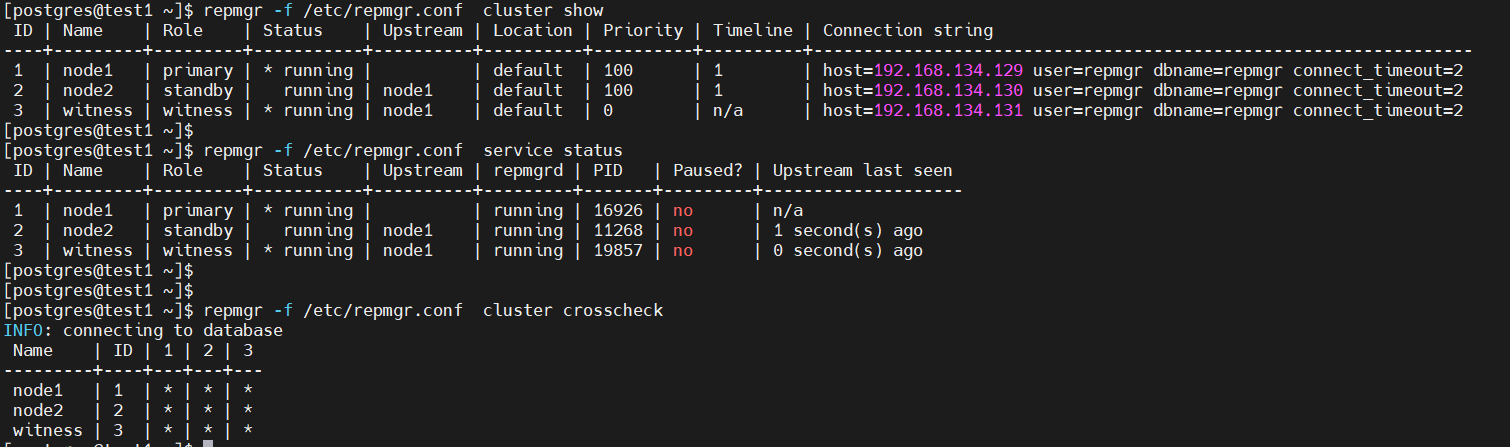
Conclusion:
Deploying a PostgreSQL 16.11 high-availability cluster using repmgr 5.5 on CentOS Stream 10 showcases the ability of open-source tools to provide enterprise-level reliability. The setup involves a primary node, a hot standby, and a witness server to enable synchronous replication and automatic failover. The detailed setup process emphasizes the significance of planning and reproducible configuration. The cluster supports seamless failover and minimal downtime, making it suitable for critical workloads. With improved support for PostgreSQL 16.x, repmgr offers an effective solution for managing replication and failover, creating a reliable and scalable HA platform for modern data infrastructures.






1 Comment